
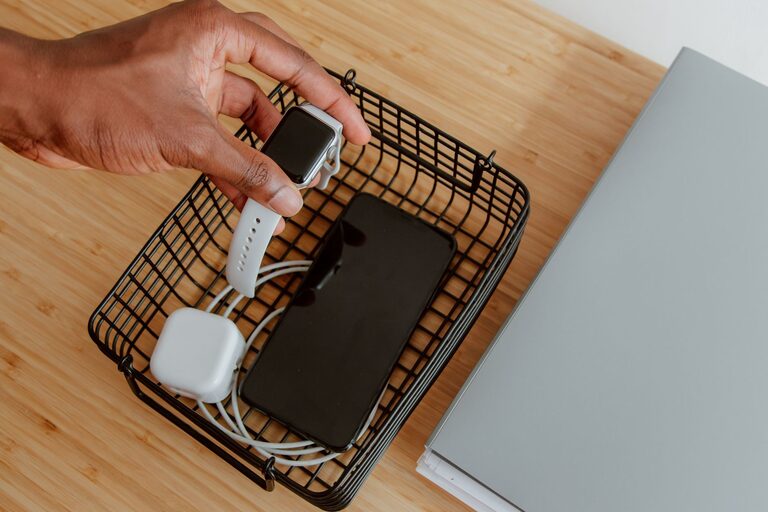
Setting up a dedicated charging station for your devices is a smart way to keep your space tidy and ensure that all your gadgets are ready to use when needed. Whether you’re at home or in the office, a charging station helps avoid clutter caused by tangled cords and misplaced chargers. In this guide, you’ll learn easy steps to create an efficient charging station that fits your needs.
Why Create a Charging Station?
With multiple devices like smartphones, tablets, laptops, wireless headphones, and smartwatches in daily use, charging them all can become chaotic. A charging station:
– Reduces clutter by centralizing your chargers and cables.
– Protects devices by keeping them organized and off random surfaces.
– Saves time by providing one reliable spot to charge all devices.
– Helps maintain a neat and attractive environment.
What You’ll Need
Before setting up your station, gather the following:
– A power strip or surge protector with enough outlets.
– Charging cables compatible with your devices.
– A storage solution like a docking station, organizer box, or DIY stand.
– Optional: cable clips, ties, or sleeves for cable management.
– A stable surface such as a desk, shelf, or counter.
Step 1: Choose the Right Location
Pick a location that’s convenient and accessible for daily use. Consider:
– Proximity to a power outlet.
– A space where devices won’t be disturbed or knocked over.
– Good ventilation to prevent devices from overheating while charging.
– Enough room for your devices and charging accessories.
Common spots include desks, kitchen counters, nightstands, or a designated shelf.
Step 2: Select a Charging Hub or Power Source
Use a power strip or surge protector to plug in multiple chargers safely. Look for one with:
– Sufficient outlets to accommodate all your devices.
– USB ports for direct device charging without the need for adapters.
– Surge protection to safeguard your electronics.
Step 3: Organize Your Cables
Cables often create the biggest mess in charging setups. Use these methods to manage them:
– Cable clips or holders: Attach these to the edge of your table or wall to guide cables.
– Cable ties or Velcro straps: Bundle excess cable length to reduce tangling.
– Cable sleeves: Group multiple cables together for a cleaner look.
– Labeling: Use small tags or labels to identify cables quickly.
Step 4: Choose or Build a Charging Station
There are many products available, but you can also create your own charging station:
– Docking stations: Designed to hold devices upright and charge them simultaneously.
– Charging boxes or trays: Keep devices and chargers contained in one place.
– DIY organizers: Use simple materials like wooden blocks, acrylic holders, or repurposed items to build a custom station.
– Multi-device chargers: Some chargers offer multiple USB ports and device cradles in one unit, reducing the number of cables.
Step 5: Arrange Devices Neatly
Arrange your devices so they are easy to access and monitor while charging:
– Place frequently used devices within reach.
– Store less-used devices toward the back or in a separate compartment.
– Avoid stacking devices as it can cause overheating.
– Keep devices upright if possible to maximize airflow.
Step 6: Maintain Your Charging Station
To keep your charging station functional and tidy:
– Regularly declutter—remove unused chargers or cables.
– Check cables and chargers for wear and replace if damaged.
– Clean dust and debris to prevent overheating.
– Reorganize if you add or remove devices.
Tips for an Ideal Charging Station
– Use fast chargers: Save time by using chargers that support quicker charging speeds.
– Invest in wireless charging: If compatible, a wireless pad can reduce cable clutter further.
– Keep a backup charger: Helpful for guests or emergencies.
– Use smart plugs or timers: Schedule charging times to conserve energy or reduce power use overnight.
– Personalize your station: Add labels, decorative trays, or a small lamp to make the space inviting.
Conclusion
Creating a charging station is an easy project that brings order and efficiency to how you manage your devices. By choosing the right location, using proper tools, and organizing cables smartly, you can enjoy a clutter-free space and always have your devices ready to go. Whether you prefer a ready-made docking station or a simple DIY approach, setting up a charging station is a practical step toward better device management.